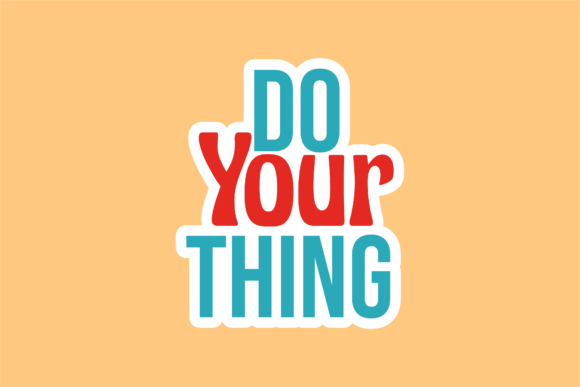
Back to School Sticker: Do Your Thing
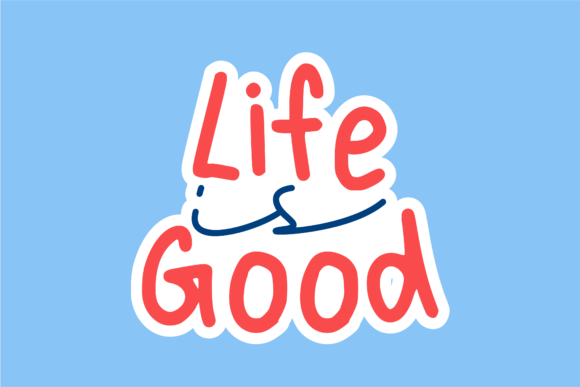
“Do Your Thing” isn’t just a phrase—it’s an invitation. A quiet but confident nudge for students, teachers, creators, and lifelong learners to show up as themselves. This Back to School Sticker: Do Your Thing design captures that energy in clean, bold typography with intentional white space—designed not to shout, but to resonate.
What makes it useful isn’t just its message—it’s how effortlessly it adapts. You receive six production-ready files on a 1920px × 1280px canvas: one AI file for full vector editing, one EPS for broad compatibility, one DXF for cutting machines (Cricut, Silhouette), one high-res JPG for quick sharing or printing, and one transparent PNG for overlays, social graphics, or digital classroom tools. No extra steps. No guesswork. Just clarity, consistency, and creative control.
Why this sticker works beyond the first week of class
Most back-to-school assets lean heavily into nostalgia, rules, or rigid themes—schedules, supplies, or smiling cartoon apples. This design stands apart because it centers agency over instruction. “Do Your Thing” applies equally to a fifth grader choosing their notebook cover, a college professor reimagining syllabus design, or a small business owner launching a new workshop series for adult learners.
It’s not prescriptive. It doesn’t assume what “your thing” is—only that it matters. That flexibility makes it durable across grade levels, learning environments, and even non-educational contexts like coaching, wellness, or creative entrepreneurship.
Creative applications—beyond the laptop decal
This sticker isn’t limited to laptops or water bottles. Its scalable vector formats mean it can anchor larger projects without losing fidelity:
- Classroom environment: Print the PNG or JPG at poster size for bulletin boards—or layer the transparent PNG over student-submitted work in digital portfolios to reinforce ownership and voice.
- Educator branding: Use the AI file to recolor “Do Your Thing” to match your school’s palette, then integrate it into editable slide templates, email signatures, or handouts—keeping tone consistent while personalizing delivery.
- Small business marketing: Pair the DXF file with vinyl cutting to create branded stickers for product packaging, event swag, or thank-you kits. Add a short line underneath (“For curious minds,” “Start where you are,” or “No permission needed”) to tailor meaning without altering the core design.
- Digital content: Drop the transparent PNG into Canva or Figma as an overlay on Instagram Stories, blog headers, or webinar slides. Because it’s centered and legible at multiple sizes, it reads clearly—even on mobile.
How different users adapt it intentionally
A freelance graphic designer might open the AI file, isolate the text, and replace “Do Your Thing” with client-specific language—“Lead With Curiosity” or “Build Your Way”—while preserving spacing and weight. The EPS ensures those edits translate cleanly into print-ready PDFs for school district vendors.
An educator building a growth-mindset unit could use the JPG version to create printable reflection cards: students write *what* their “thing” is (a skill they’re practicing, a question they’re exploring) and why it matters. The sticker becomes a visual anchor—not decoration, but a prompt.
A blogger covering seasonal productivity might embed the PNG in a newsletter banner alongside a short note: “Back-to-school energy isn’t just for kids. What’s *your* thing this season?” It bridges relevance without forcing comparison.
And for hobbyists or makers? The DXF file opens doors to custom wood signs, embroidered patches, or resin keychains—turning encouragement into tactile, shareable objects.
Keeping it clear, consistent, and original
Because the base design is minimal—not overly illustrated or stylized—you retain full control over tone and context. That means avoiding visual clutter when adapting it: if you add color, choose one or two complementary tones; if you layer text, keep font hierarchy simple (e.g., “Do Your Thing” in bold, secondary line in light weight).
Consistency comes from restraint. Use the same file type across platforms where possible—PNG for digital, DXF for physical cut files, AI for deep customization. That way, whether someone sees it on your Instagram grid or your classroom door, it feels like part of the same thoughtful effort.
Originality isn’t about reinventing the phrase—it’s about grounding it in real action. Instead of using “Do Your Thing” as wallpaper, pair it with something specific: a student-led project showcase, a “skills I’m growing this term” checklist, or a small business’s “how we learn as a team” page. Let the sticker point to substance—not stand in for it.
Practical next steps—no design degree required
You don’t need advanced software to get started. Here’s how to begin, based on your tools and goals:
- If you use Canva: Upload the PNG. Resize as needed. Add your own background color or photo—but keep contrast high so the text stays readable.
- If you cut vinyl or paper: Import the DXF into Cricut Design Space or Silhouette Studio. Adjust cut settings for your material, then send to your machine. No tracing, no redrawing—just precision.
- If you edit in Illustrator or Affinity Designer: Open the AI file. Change colors via global swatches. Adjust tracking or leading slightly if pairing with longer body copy. Save a version with your brand fonts applied for future reuse.
- If you’re sharing digitally only: Use the JPG or PNG directly. No resizing needed for standard social posts (1080×1080 or 1200×630). For email headers, crop to 600px wide and center vertically.
This Back to School Sticker: Do Your Thing is designed to support—not define—your work. It’s a tool, not a template. Its strength lies in how quietly it holds space for intention: for educators setting classroom culture, for creators launching new work, for anyone stepping into a season of learning, making, or teaching. You bring the purpose. The file brings the foundation.